
For the past year, I have been using an amazing, completely free app called Libby. All you need is a local library card and they have several free books, many that are brand new, available on Audiobook or e-book format. I mostly listen to audiobooks (on 3x speed sometimes, haha) but will get the e-book format if the audio version is not available.
Coupling Speechify with Libby
Bonus! I use Speechify with the e-reader versions. It is free, but I suggest getting the Premium version ($140/year). First, you get the book from Libby. Then click "Read with Kindle". Then, open Speechify, click Kindle, and open the book you have on loan from the library. It is that simple! Speechify is also what I use to read news articles and research studies—it is perfect for students!
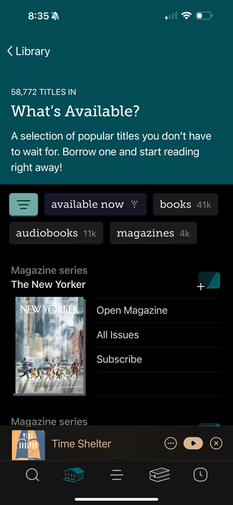
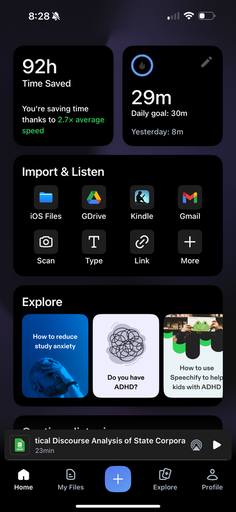
Also, the AI voices are pretty good, and you can even save your voice so you are reading a book to yourself. It is weird, but a quirk worth checking out. Use my Speechify link above to get $60 off and 1 month free (for Premium). Below are some screenshots of both apps from my phone.
Coupling Speechify with Libby
Bonus! I use Speechify with the e-reader versions. It is free, but I suggest getting the Premium version ($140/year). First, you get the book from Libby. Then click "Read with Kindle". Then, open Speechify, click Kindle, and open the book you have on loan from the library. It is that simple! Speechify is also what I use to read news articles and research studies—it is perfect for students!
Also, the AI voices are pretty good, and you can even save your voice so you are reading a book to yourself. It is weird, but a quirk worth checking out. Use my Speechify link above to get $60 off and 1 month free (for Premium). Below are some screenshots of both apps from my phone.
  |   |
 RSS Feed